
Crowdsourced & Tested | Productivity Apps
How are we all using technology to help us organize our busy lives these days?

On a business trip several months ago, I shared on Stories how overwhelmed I was with all the various apps and different ways I try to manage the chaos of everyday life. I’m pretty Type A by nature—I love a to-do list, swear by both written and digital calendars, and generally consider myself pretty organized. But, somehow, all of it started to feel chaotic.
I hit this point where it all felt dispersed and unorganized somehow. For me, work travel (especially with time zone changes) really tests my systems. I’m out of my routine, my comfort zone, and I suddenly find myself juggling updates across a dozen digital places that don’t really seem to talk to each other.
If you are enjoying this post, I have just one tiny favor to ask —> Click the ❤️ icon below or leave a comment. It takes you two seconds and goes a long way to helping my content get discovered to fuel even more great recommendations & crowd-sourced content like this!
So I Did an App Audit
In my search for the perfect system, I’d unintentionally built something kind of ridiculous, which I only saw when I stepped back. Just like my Joy Audit, it took a quick 5 minutes to see all the places I’d been saving, storing and updating things without one master plan. I had inadvertently added more complexity to my life with my digital clutter:
Using Notes app for most lists, some draft posts and notes, thoughts for later, etc.
Using coexist for meal planning and recurring tasks, trying to move to-do’s there (sadly, they just shuttered this app, but I was hopeful for it)
Moving (slowly) to Google Docs to manage my LIYL content plan
Saving fun posts for later on Instagram
Saving articles in open tabs (yup, that’s the most egregious one)
Managing a shared iPhone Calendar for my family, an Outlook calendar for work, and a Google calendar for girls nights, supper club and other personal / recreational commitments.
And Then I Asked You
On a whim, I asked for help on Stories. Maybe I should’ve realized sooner, but you guys are full of ideas.
So, I’ve taken it upon myself to share what you told me.
What apps and digital tools are we using to stay organized, manage a full and fulling life and generally not lose our minds?
Well, there was no clear winner—seriously, over 20 unique app suggestions alone! And lots of cries for help too. So, I analyzed the results and wanted to share.
As always with crowdsourcing and general life advice, a caveat: Take what might work for you, discard the rest.
As for me, I’m still early days but have committed to a single app — can you believe it?! Maybe the fact that I paid for it will help, although $10 does not a guarantee make (more on that below).
✨ Crowd Favorites
The top two recommendations:
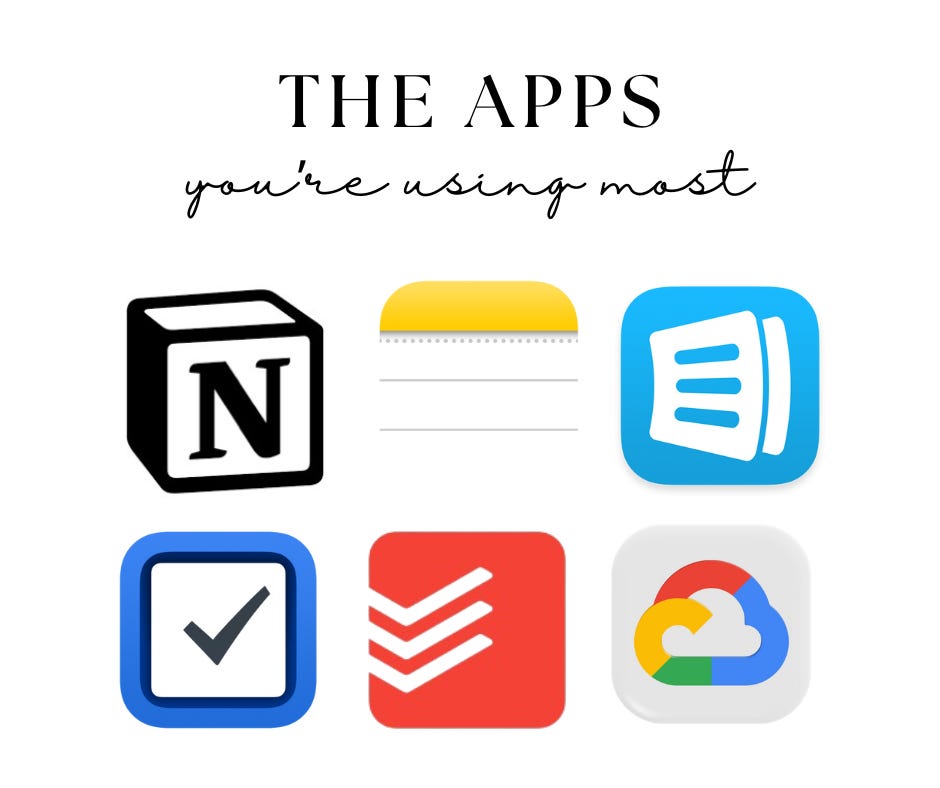
Apple Notes
Notion
Honorable Mentions:
Google Keep, Tasks & Drive
Todoist
AnyList
Niche Apps if You’re Looking for Specific Tasks or Functions:
Skylight — this did come recommended a few times and it’s something I’ve considered. The idea of having a place to view it all easily in the home, especially as kids get older has tempted me. However, I am not sure it could really work for all to-do’s. Sounds like it may be more meal planning and recipes plus kids’ schedules. My friend Marina says it’s a game changer for kids to manage their chores and to-do’s but may not be exactly what I need.
Cozi — sounds similar to Skylight, but I haven’t tried or explored it.
💡What I Learned From All This
There were more than 20 unique suggestions, which means not only is this area super-saturated making the overwhelm almost guaranteed, but it also means there’s no clear winner or one-size-fits-all approach.
Outsource your setup. Notion came recommended by a handful of people, but I’ve given it a pretty fair shot twice because it really seems amazing. The templates I could find were never quite right and honestly it felt like you needed a PHD to crack it. Enter: a life hack I never considered—hire someone to build your initial dashboard, customized just to your needs. This is so smart and could’ve only come from someone like Marina, who is surrounded by smart, curious students (she’s a college professor). Outsourcing, once again, proves to be an important life hack in many ways.
Stretch the tools you already love. Ellie shared how she built a massive table in Notes to both plan and keep track of her weekly meal planning over time. I used to delete and recreate my meal plan weekly, which was exhausting and meant I had no history to track for ideas, either. It didn’t occur to me to use this app in this way—I loved this alternate idea and love learning from friends!
Don’t underestimate paper. A surprising number of people still said they use paper planners notebooks. I totally do, too! I love the feeling of a physical calendar but I also wonder whether I’d be better off to go fully digital. A coworker did this even with taking digital notes in meetings and never looked back.
You may never find one perfect app. Honestly, that might be the real answer here. Acceptance > a single solution.
So, What Did I Choose?
I took a leap of faith and paid for an app — and I’ve been happily using Things 3 for several months.
Side note: I used to never pay for apps, but lately I’ve found myself a little over-subscribed (ChatGPT paid, Roots, and now this — who am I?). Each one serves a very specific purpose and I’m not mad about it, but maybe there’s a lesson in here for another day.
The Things 3 app is beautiful and very easy to use. While it does require some thoughtfulness and time to set it up properly, it doesn’t require more than a basic knowledge of mobile apps to make it feel truly your own — nowhere near what Notion required.
Here’s how I’m using it so far:
I created three “Areas”: Work, Home/Family and Live In Your Luxury
Quickly learned that I prefer organizing by Projects for the most part—these let me see tasks at a glance and that fits better with how my brain works. The app is flexible enough to fit your style and fast enough to learn that this re-do didn’t cost me much time.
I use the iPhone widget for Things 3 on my home screen which highlights today’s tasks. This post has been lingering on there for a while, though, so I can’t say it’s made me any more productive. But the visibility and clarity of what’s on my list for various parts of my life has been great.
HUGE caveat is that there’s currently no sharing option. Your app is yours and yours alone. I was hoping to share the Home/Family Area with my husband, but instead I just color code tasks for him and send him a text. Not ideal, but hasn’t been a total deal breaker either.
There’s a browser extension I plan to try too, to help tame the “too many tabs open” part of my brain.
Final Thoughts
Have you tried any of these apps? Are you a devotee to one specific system? Do you have any other hacks for how to make them work hard for you?
There’s something a little ironic about how much effort it takes to get technology working properly to simplify our lives. Maybe that’s why I’m not scared of AI… I think it will always require our human touch and cognitive oversight… but that’s a post for another day.
Other Posts You May Enjoy:
Love these tips and resources! Physical paper planner / calendar is my personal favorite, then we use a Skylight for a central family view. Love the skylight. Kids (ages 3 and almost 5) manage their own morning and evening checklists on it, husband and I see our calendars both displayed there, easy to add to-dos or items on the routine (like if one kid has to take an antibiotic for 10 days, easy to add a reminder to the daily routine). We bought ours last Christmas, and it's the only gift I still use daily.
Great post. I recently changed paper planners to Amplify so I had more space for daily activities and note taking. Plus it’s compact so I can take it on work trips. I also use Skylight and it really is helpful if you have kids moving in a million directions and have parents who travel. 🙃